Showing posts with label Final. Show all posts

Wednesday, July 25, 2012

State of Mind - Touch ups and Remake


Tree of Life - After editing

Edited the last panel of the "dead" tree.
Made it extra darker to show that "its life has been sucked away"

Mr.Hafiz pointed out that leaves don't just dissapear like that. It falls off one by one.
So I remade this scene in Photoshop, and turned it into a GIF.

He also suggested that when the leaves touches the thorns, it "absorbs" the colours" so I changed the levels according to the panels.


This is the other GIFs that was in the video, but I forgotten to upload it.
I find the grass movement so cute :D


The original Tree of Life
Before editing


Lai Yenn.

Sunday, July 15, 2012

State of Mind

Finished colouring the tree and the vines.

And I decided to change the "happy" background, because it'd clash with the colours of the tree.
It's all in the same composition because I figured that Premiere can zoom in and out more efficiently.
And the tree would be consistent as well.


Somehow, this reminds me more of Metamorphosis o.o

Lai Yenn.

Tuesday, July 10, 2012

Digital Design - Movie Poster


The printed version :D

Somehow, it looked much better with the glossy-ness.
Though it was super difficult to take picture ._.


Feedback ; Mr.Hafiz said the anatomy was wrong, so he suggested that I cover (or try to) it with the hair. And put the title horizontally, along with a reflected effect on it.

And .. tadaa!


I couldn't really get Anerys (the black haired girl)'s hair right. It looked quite odd to me. But Syrena (the blondie)'s hair came out better. *sobs*

Lai Yenn.

Tuesday, July 3, 2012

Movie Poster - Final


My final for the movie poster.

Synopsis

This is a story on Syrena (the blonde girl), a sweet, kindhearted girl who came from a really poor family and they could barely keep themselves well fed. She has this dream of living in a total opposite world, where her entire life would be upside down. One day, she stumbles upon an old proprietor of a bookstore, and he handed her an ancient storybook. It states that all her dreams would come true.
When she read it, she entered a world of her dreams - a reflection of her current reality. The poors are ruling over her country, and the riches were living in poverty. She also transformed into an alter ego of herself, Anerys (the black haired girl), who was the total opposite of what she was. She's living in a luxurious life, but she was also cruel and heartless. And most importantly, she has no family.

Would she choose to live as Syrena, or Anerys?

Lai Yenn.
 

Friday, June 29, 2012

Mirror Mirror - Final and Modification.

My final for the game DVD cover that I was working on.

 Panel 1 - Where they first met.
I made it look like as if they were fighting when they first saw each other.
Abit like a love at first sight kinda thing.
 Panel 2 - When they fell in love
The plan was to illustrate a sweet scene where it shows that they're in love.
 Panel 3 - The "epic" ending
The vision I had in mind was that its the last battle they have with the cyborgs, which is why they're posing like that.


And after receiving some feedbacks, I've changed some parts of it.

Panel 1 - I changed the entire composition because Mr.Hafiz stated that the previous composition wasn't epic enough and it looks too flat. So I changed the angle of it and abit of the storyline, to make it look like Romeo is defending her. (Which is why he stood in front of her)

Panel 2 - I liked the previous composition, just that the feedback I received was it doesn't really show that they're in love because they're just hugging.

So, I added in rose petals as the background to show abit more of "lovey dovey"
And also, roses are a symbol of love.


Panel 3 - I was told that this composition was fine as well, just that Juliet's anatomy was abit off, so I adjusted abit.

And I changed the fonts for it as well, because the previous one doesn't really suit.

Lai Yenn.


Sunday, May 6, 2012

Metamorphosis - Altered

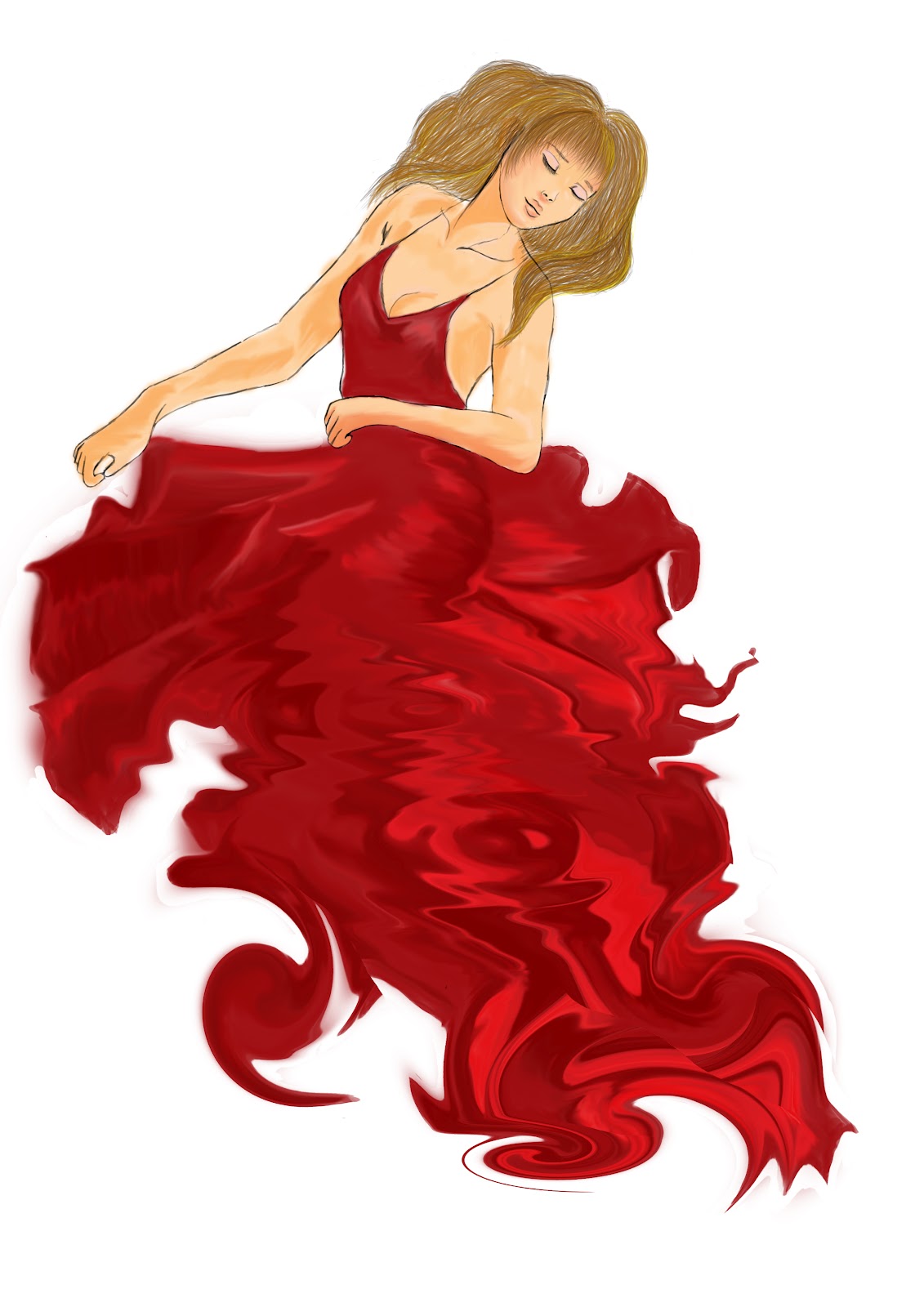
Having to watch Tim Burton's Corpse Bride recently (Kayla played it in class),
I was inspired by the movie whereby I noticed the corpse has a paler/purple-ish tone to her skin.

And coincidentally, the corpse bride dissapeared into hundreds of butterflies at the end of the movie.
Which is the same as my concept :)


Overall, I touched up the messy parts that I overlooked in the dress. Added a base colour for her hair (only noticable in the first panel). And I made her skin slightly paler/grey-ish tinge because there isn't any life left in her.

Which is why vampires are pale white and ice cold :D 
Lai Yenn.  

Monday, April 30, 2012

Photomontage - Tryouts and Final

The two pictures that I'm planning to combine

Traffic jam in Bukit Bintang

Starhill Gallery

The first tryout
A little too dark to see anything
Modification (layers by layers)

First layer - didn't edit anything

Second layer - same picture.
Used the overlayed effect so that the car lights can be more prominent

Third layer - modified the black and white
Because the two pictures is day and night, so I wanted to change this traffic jam picture to "sepia"-ish so that it can blend together.

Fourth layer - changed the Red curve
Its a little too dark so I decided to make it brighter

Fifth layer - loaded the Starhill Gallery under vivid light.
So that both pictures can blend in.

Sixth layer - added extra layer of lighting so that the lights can glow.
Gaussian blur-ed and Soft light

Sunday, April 29, 2012

Metamorphosis - Tryouts and Final

Sketched out a few postures for my "dead girl"

Pose 1
Sketched on sketchbook

Pose 2
Sketched on sketchbook

Pose 3
By right it should be pose 1 since this was the initial pose I had in my mind
Sketched on sketchbook

Pose 4
Sketched with tablet.
Anatomy inspired by Sakimichan (Deviantart artist)

And I didn't want to choose this one (although I really liked it) because I took 3 hours alone to sketch this with the borrowed tablet.
I didn't have one at home.

So I wanted to continue this manually.
But when I got back home, I didn't care and just finished this on Photoshop.
Using my mouse, of course. LOL

First panel : Full dress & body
Second panel : The bottom part of the dress starts to fade.
At least I think it looked like fading?
Third panel : The fading continues, though the bottom part is more evident.
Fourth panel : The upper part of her body start to fade as well. At the bottom right corner, a wing is beginning to .. form.
Fifth panel : The fading-ness has reached her face. And on the bottom right, the forming of the other butterfly wing is visible.
Last panel : Her entire body & dress has faded, a crimson butterfly has fully developed.

But since my initial plan was to have only 4 panels (I had too much fun with the smudge tool), I've decided to take Panel 1, 3, 5 and 6.

Angie
xoxo